
Best Sellers in Order Anywhere
Smart Upselling boosts average order value without compromising service speed or increasing staff workload.
With zero manual setup or maintenance required, it ensures diners see the most relevant items at the perfect moment in their ordering journey.
ℹ️ Open Beta from April 7th
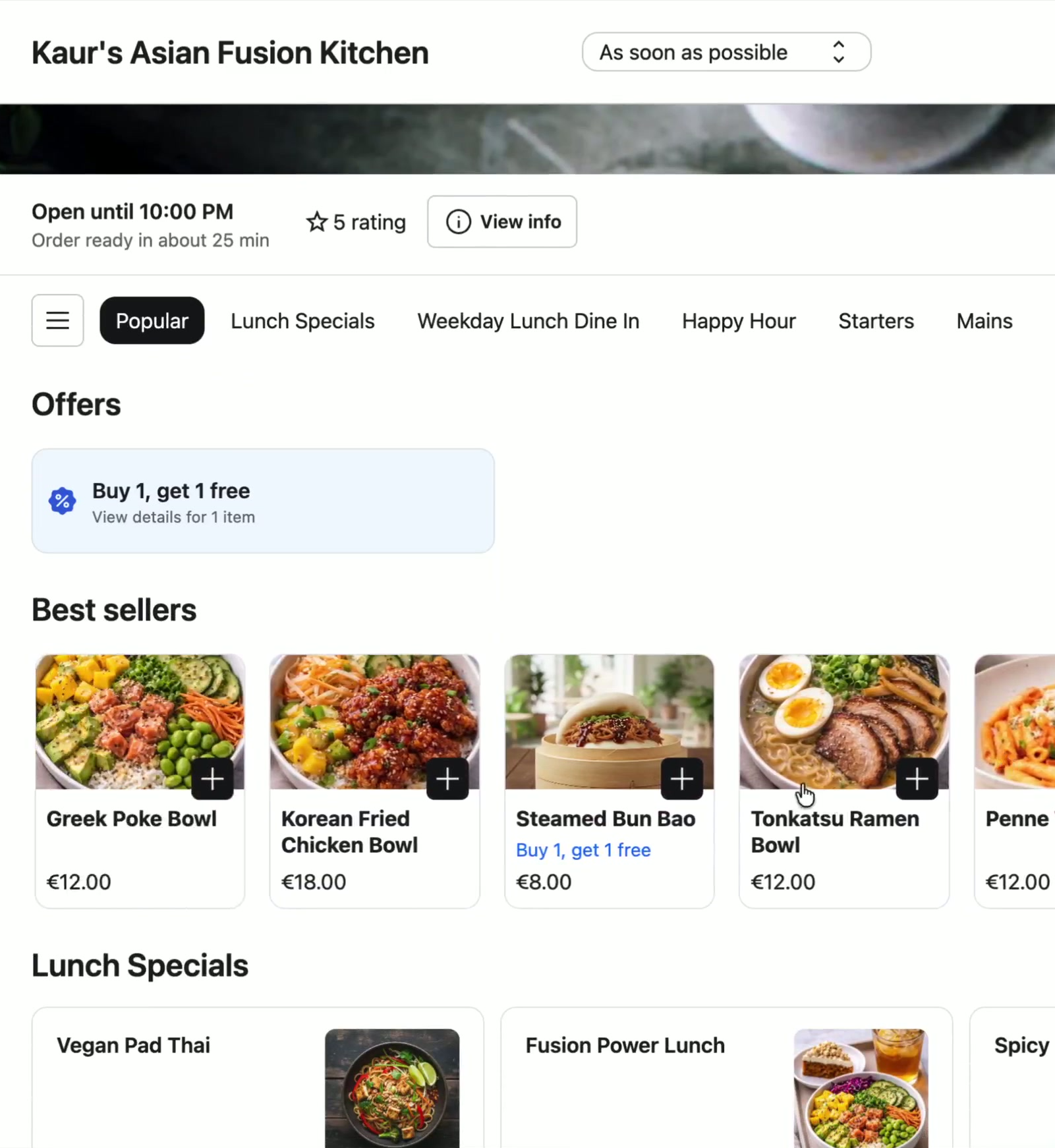
Eligibility: Available to locations with 500+ orders in the last 12 months
- Once the threshold is met, the feature can be activated within Order Anywhere Admin.
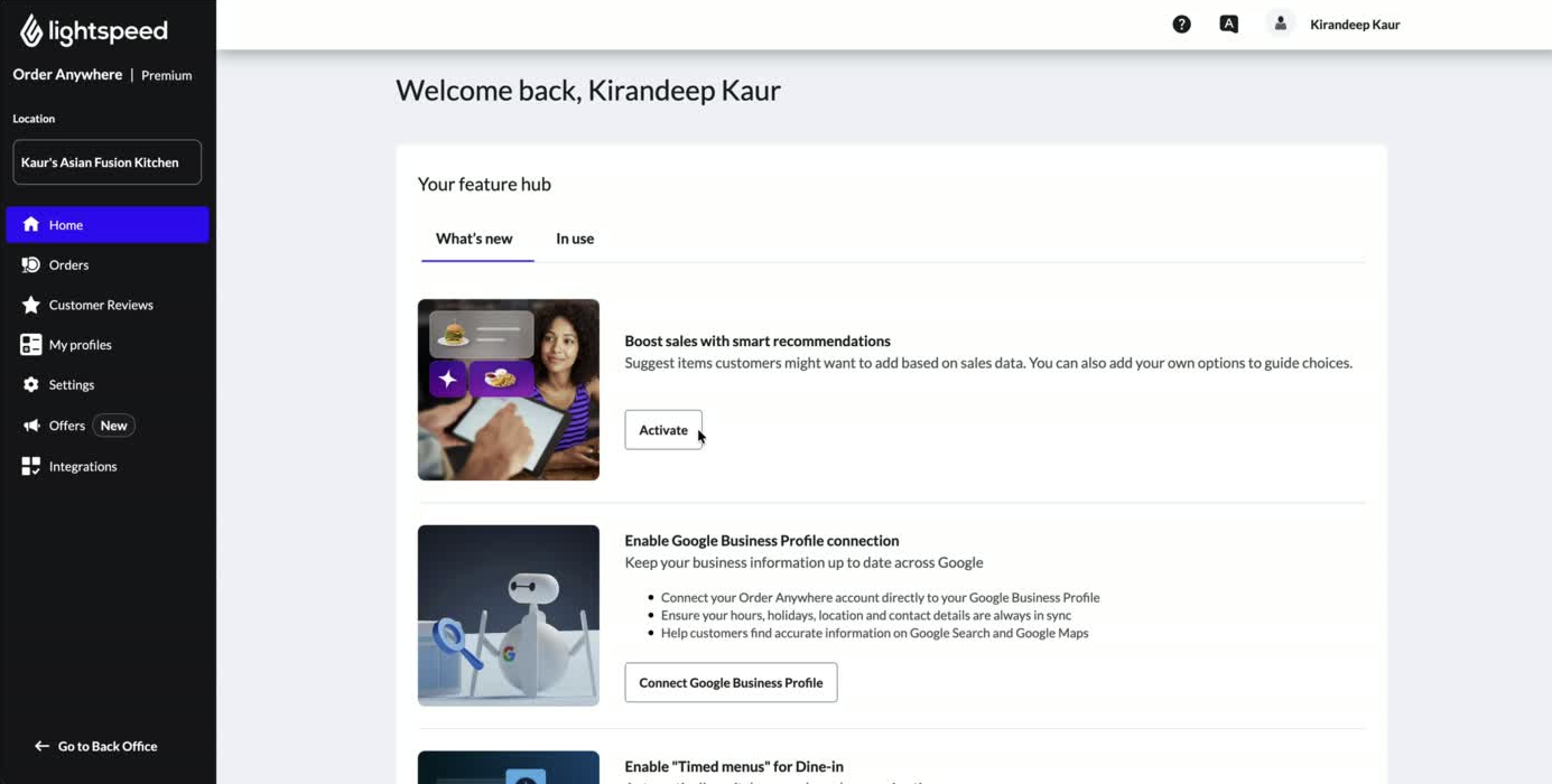
1. Go to Smart Upselling in your OA Admin
Log in to your Order Anywhere Admin and navigate to the Smart Upselling section.
From the home Feature hub, click Activate on the Boost sales with smart recommendations card.
🧭 OA Admin >Offers > Smart Upselling
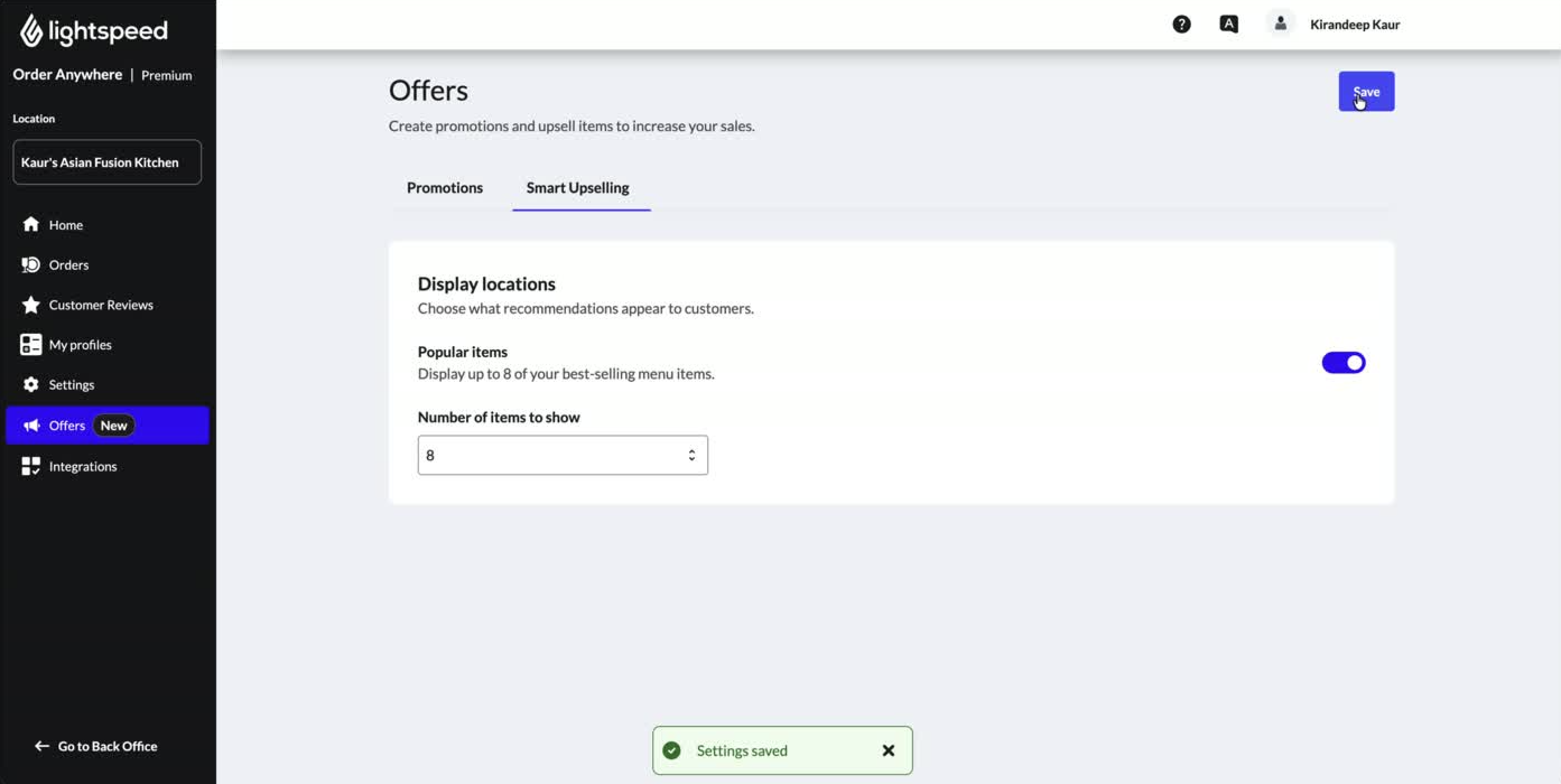
2. Enable Best Sellers
Toggle Popular items on. That’s it — no items to select, no list to configure. Lightspeed automatically identifies your top-selling items using your real transaction data and publishes up to 8 items to the top of your menu.
The selection refreshes every day, so what guests see is always based on recent sales — not a static list you set once and forget.
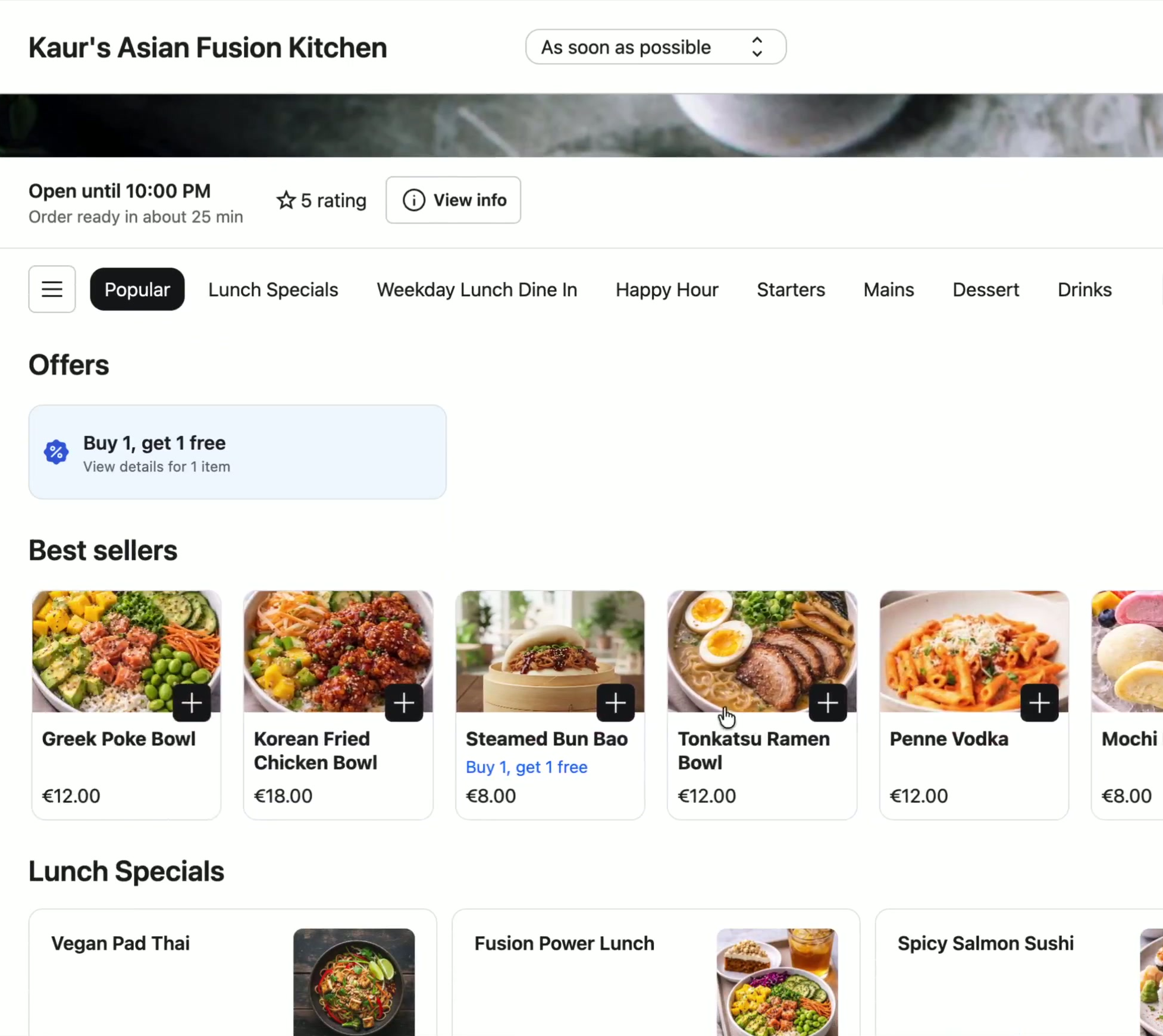
3. You’re live!
Once enabled, your best sellers appear at the very top of your Order Anywhere menu — the first section every guest sees when they start browsing.
No pop-ups, no interruptions. Just your most popular items, front and centre.
Can I choose which items appear in Best Sellers?
Not in this release! The selection is fully automatic based on order volume.
Manual curation and the ability to promote specific items (such as high-margin or seasonal items) is coming in a future update.
What data is used to rank items?
Rankings are based on item order volume from your Order Anywhere transaction history.
The calculation refreshes each day using recent sales, so the list stays current with what’s actually popular.
Are there items that get filtered out automatically?
Yes! The algorithm automatically removes very high-volume items that don’t add value as recommendations (for example bottled drinks) as well as duplicate variants of the same item in different sizes. This keeps the Best Sellers section focused on items guests are most likely to discover and add.
Can I turn it off?
Yes! Toggle Best Sellers off in OA Admin at any time. The section will stop appearing on your customer-facing menu immediately.
How many orders do I need to be eligible?
Locations needs at least 500 orders in the last 12 months via Order Anywhere.
If you don’t see the feature in the OA Admin, the location may not yet meet this threshold.
Will this affect how the rest of my menu is displayed?
No, Best Sellers adds a new section at the top of your menu.
The existing menu structure, categories, and item order stay exactly as they are.
My top sellers are low margin. I don’t want to promote them more.
Best Sellers ranks by order volume, not by margin.
Margin-aware recommendations (including the ability to prioritize high-margin items or exclude specific products) are planned as part of the Upsell Manager in an upcoming release.
🔴 Cart Upsells
Next release
Personalized pairing suggestions based on what guests actually order together.
Cart Upsells will surface best paired items in the cart, automatically matched to what a guest has already selected, increasing average order value without any manual configuration.
🔴 Upsell Manager
Coming up
A dedicated workspace to review what’s being recommended, manually promote high-margin or seasonal items, and fine-tune Smart Upselling alongside the automated logic.
It will give merchants more direct control over the guest experience.


