
Modifiers
Modifiers (combo within a combo) give merchants a more flexible way to customize items without relying on combo workarounds.
This FAQ guide helps you understand what’s changing, how modifiers work, and what to keep in mind when supporting merchants through setup and rollout.
Will merchants be forced to switch to modifiers, or can they use a mix of combos and modifiers?
Merchants absolutely can and should continue to use combos, but now can focus on doing so for their intended use case, combining several distinct items together to increase customer spending, rather than to modify a top level item.
In addition, we are planning to build an easy migration path for customers to convert combos that are good candidates to be items with modifiers in one smooth go.
Which integration partners are not ready for the release, and how could this affect merchants using new modifier items?
We expect this to mainly affect online ordering integrations that do not yet support modifiers. If an integration is not modifier-ready, merchants may see the following impact:
— Modifiers may not appear in online ordering menus, including kiosk, QR code ordering, and similar flows.
— If an order includes modifiers, those modifiers may not be visible to the integration partner when the order is fetched.
All other integration types are expected to continue working as usual. However, please report any unexpected issues to our team. Integration partners where modifier readiness has not yet been confirmed include:
— Smoothr
— 5Loyalty
— Storekit
— ObyPay
This list is not exhaustive. Please ask your IPM to check the latest list of partners that support modifiers.
If merchants want to switch all existing combos to modifiers, how easy is that, and which teams can support the migration?
We are planning to build a smoother migration path for merchants to convert combos that are good candidates into items with modifiers.
For now, this is not an automated or product-supported migration. Merchants can start moving suitable combos to modifiers manually, but they should review each setup carefully to make sure the structure still makes sense.
For merchant-specific rollout planning, please contact your IPM.
Can modifiers be used without the new version of menu sharing via Location Manager, or are the two features linked?
Yes, modifiers can be used independently. Modifiers and Location Manager are separate features, and there is no dependency between them.
You do not need the new version of menu sharing via Location Manager in order to use modifiers.
Will we deprecate combos at any point?
No, there are currently no plans to deprecate combos. Combos will continue to be supported and can still be used where they make sense.
Have customers with custom API integrations been informed and supported with updates?
A general update has been shared with all ecosystem partners.
Merchants using custom API integrations should be informed separately and encouraged to review the relevant API documentation to understand any updates needed on their side: API documentation.
How will modifiers show in product reporting?
Modifiers will appear in the Product Mix report in the same way sub-items are shown today.
No other reports are changing as part of this update. Once the new Items report is available, modifiers will have a dedicated tab there.
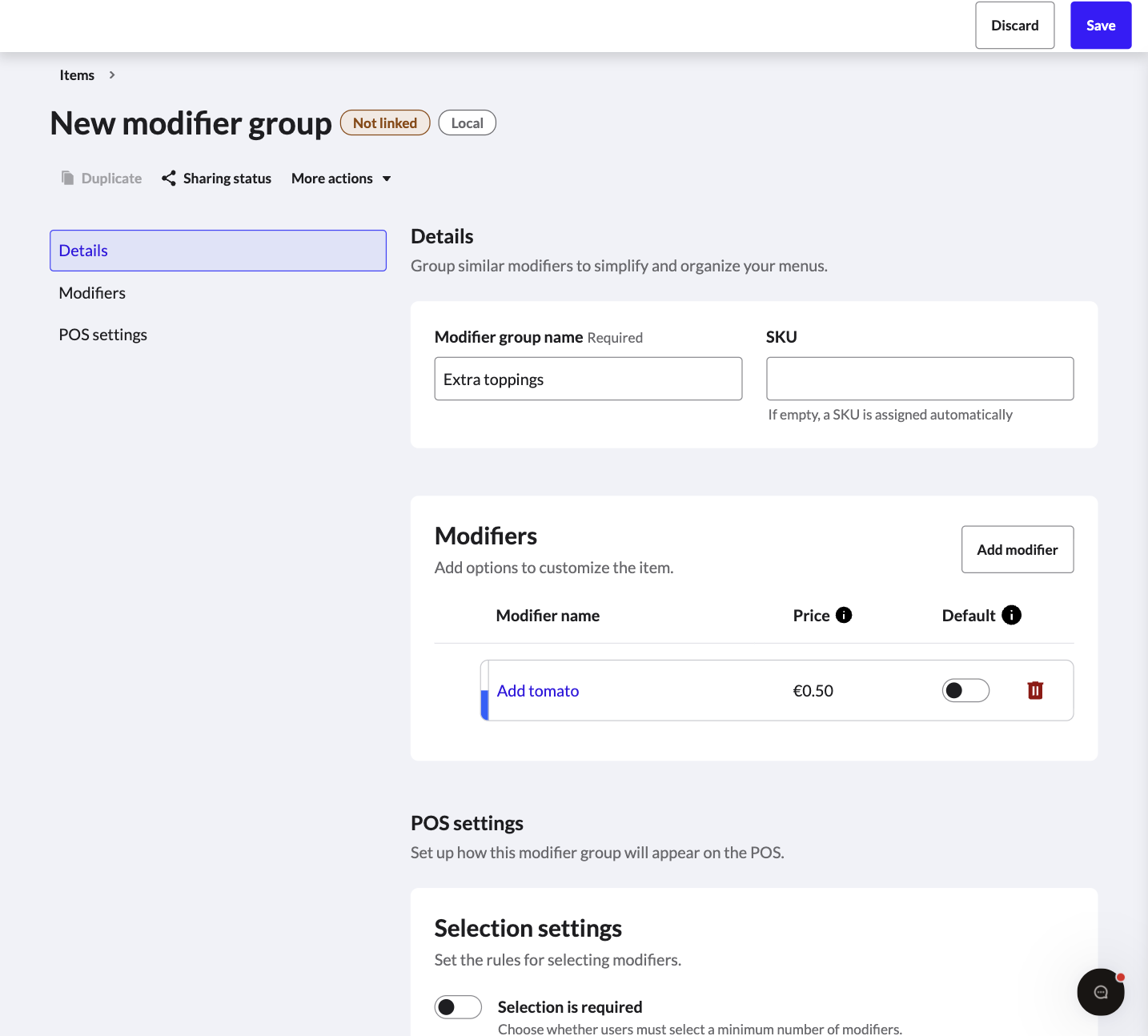
Why don’t I see the option to create modifiers in the Back Office?
The option to create modifiers will only appear once all enabled POS devices are running the minimum required app version: K-Series 26.16 or higher.
If even one enabled POS device is still on an older version, the modifier creation option will not be shown in Back Office.
How does VAT work with modifiers?
If a modifier has an accounting group assigned, the VAT is taken from that accounting group.
If no accounting group is assigned to the modifier, the VAT defaults to the item it is linked to.
Why can view modifier details within a specific item, but you can’t edit them there (for example, the default price)?
We deliberately route users to a separate screen to make it clear that editing a modifier group impacts all items linked to it, not just the one you’re currently viewing.
What happens if a modifier’s accounting group is left blank?
It automatically inherits the parent item’s accounting group when the order is placed.
Because of this inheritance, every modifier will always be tied to an accounting group in your sales reports.
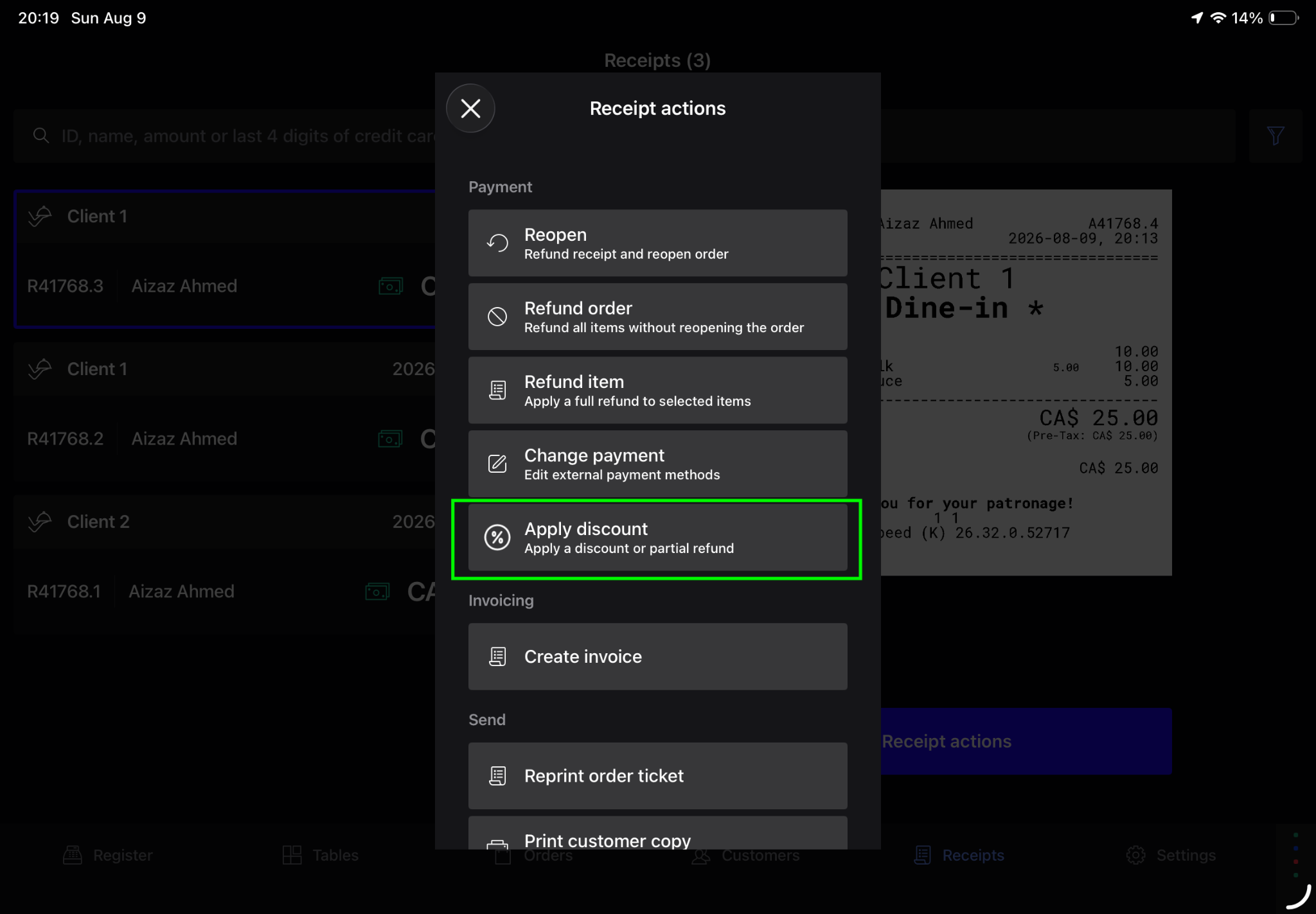
Modifiers are linked to an item, so the partial refund affects the whole item/combo.
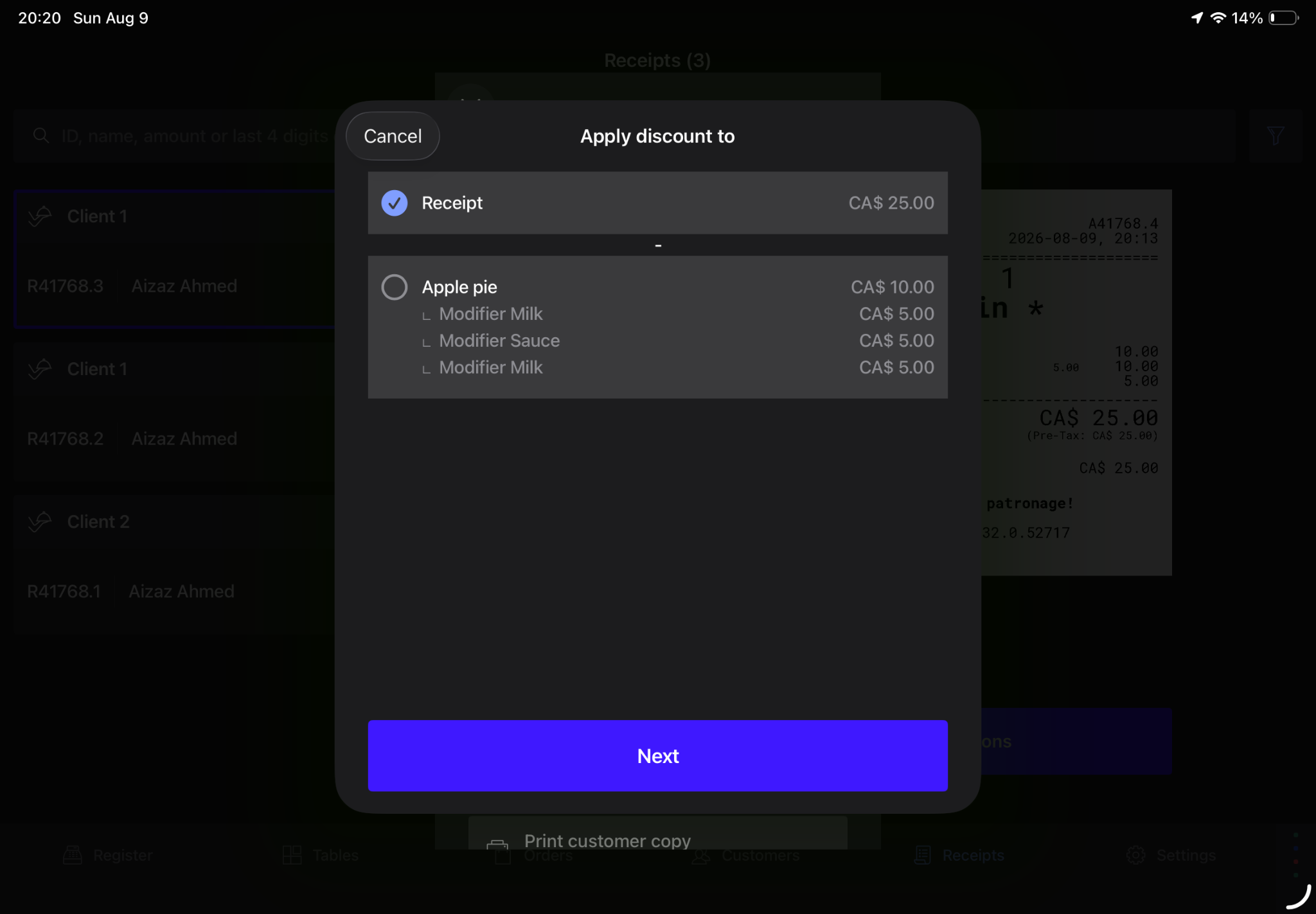
Use Apply discounts for partial refunds that uses open price discount.
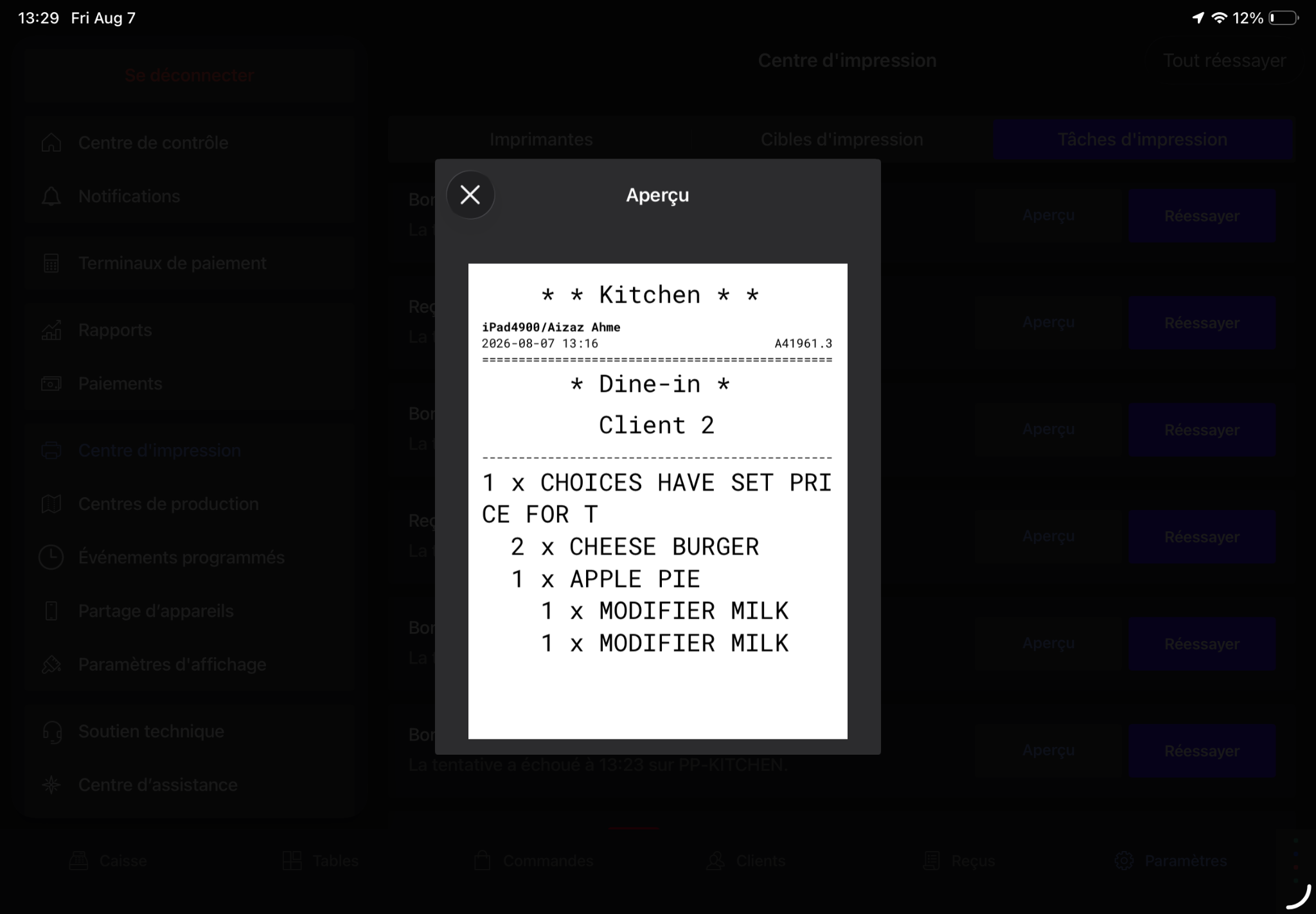
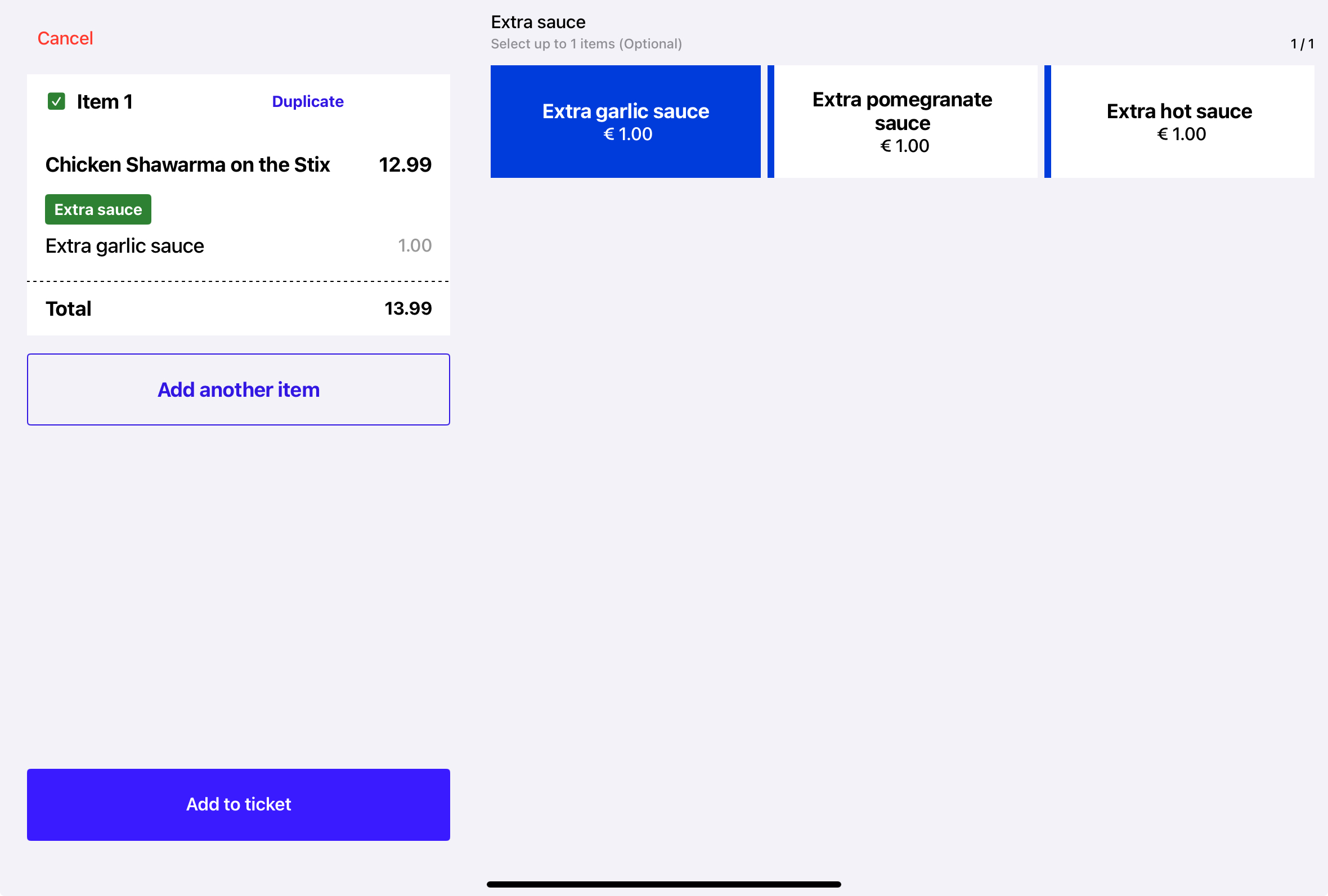
Modifiers display as nested lines under the relevant item, making it clear which modifiers belong to which item or combo component.
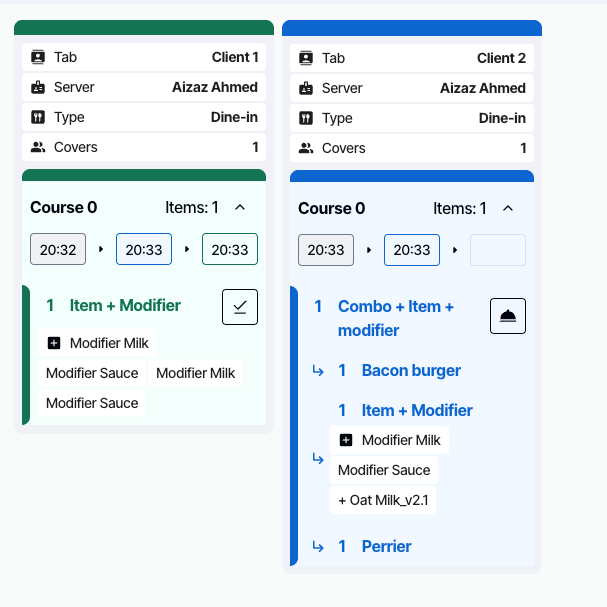
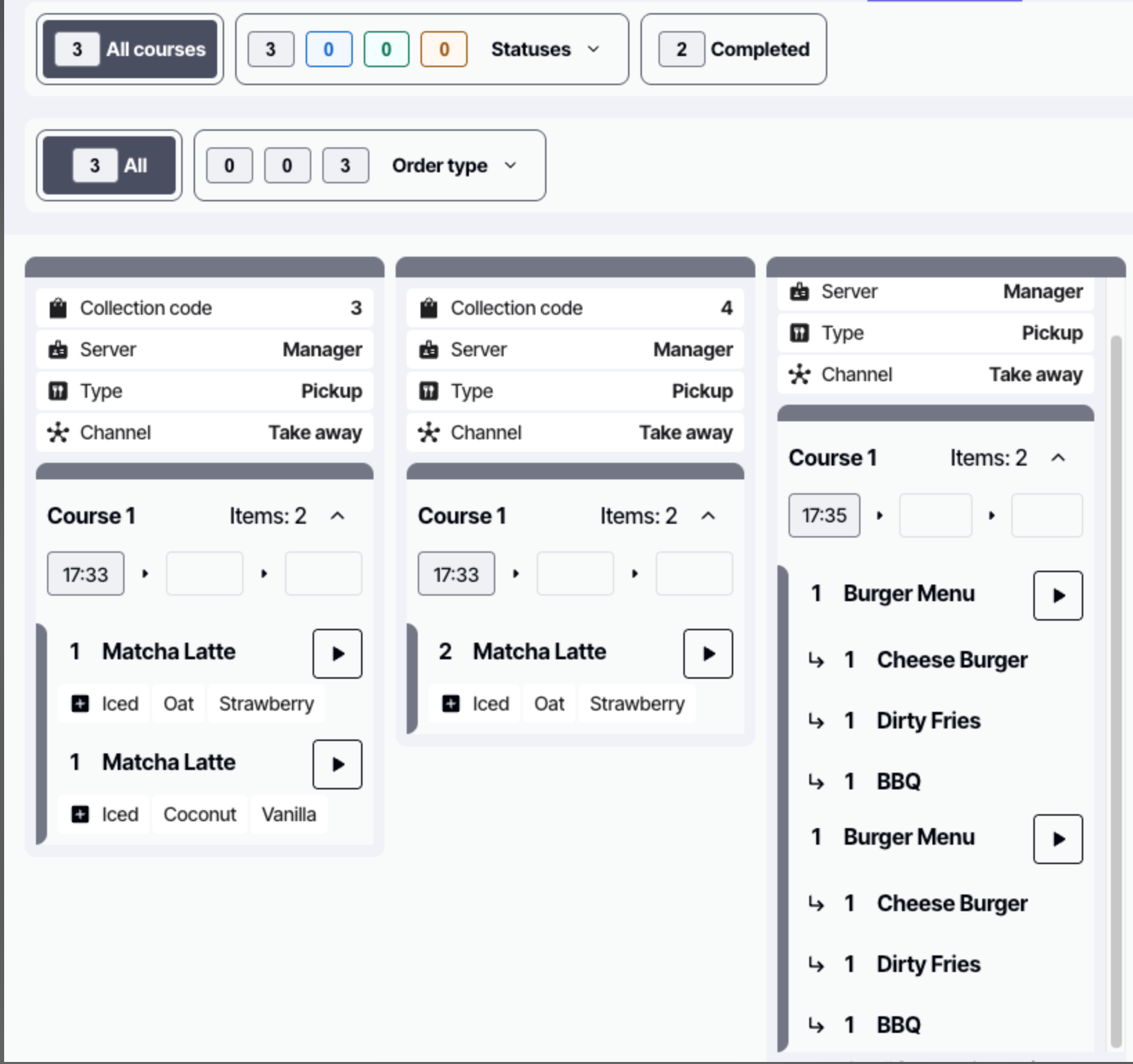
For KDS, modifiers should also appear attached to the relevant item so kitchen staff can see the full preparation context at a glance.


